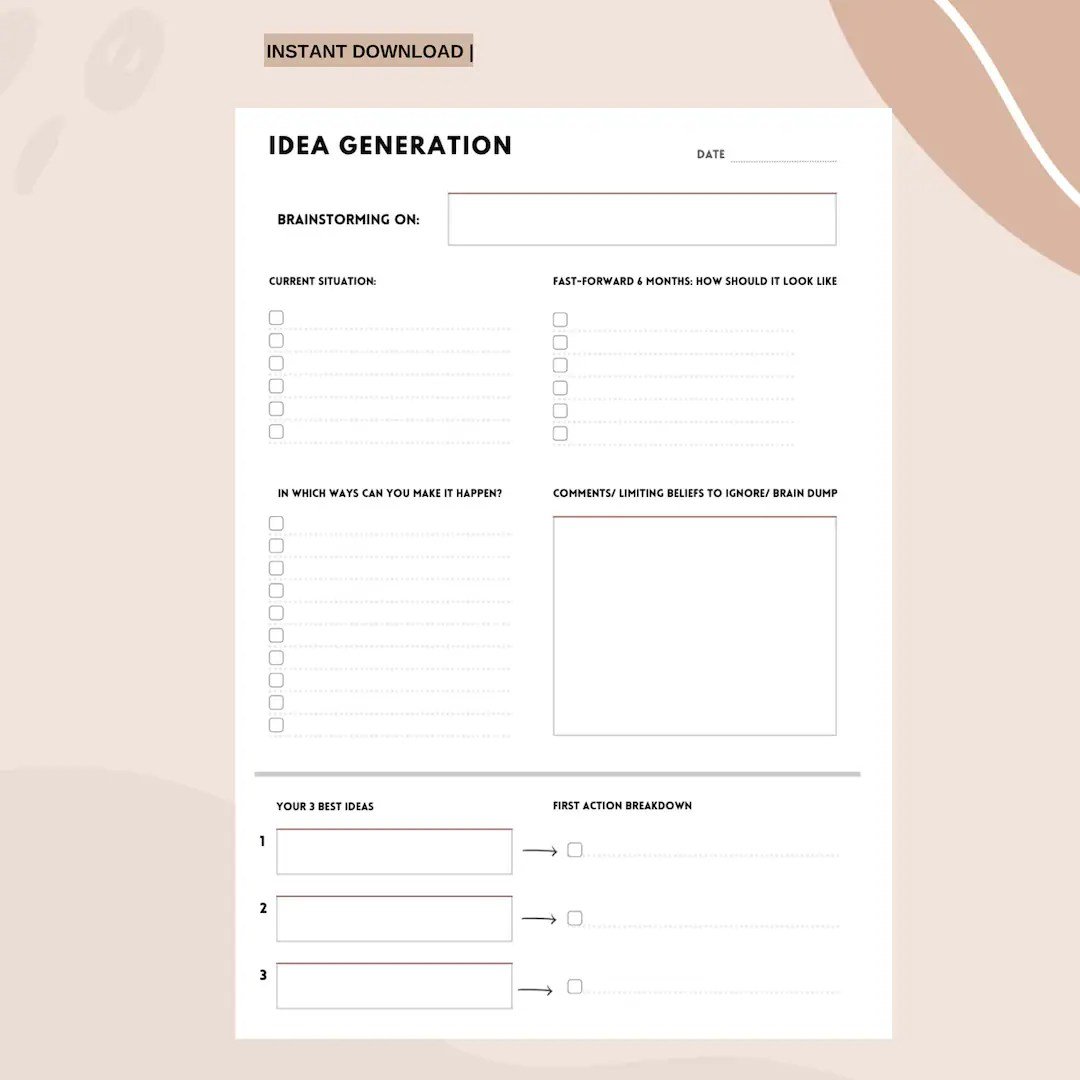
That blank page can be daunting, can't it? Or maybe you're staring at a team full of brilliant minds, each with an excellent thought, but no clear way to harness their collective genius. This is precisely where Idea Generation & Brainstorming Tools become your secret weapon. They're more than just digital whiteboards or fancy note-takers; they're catalysts, turning those fleeting "what ifs" into actionable strategies.
Think of them as your personal thought-accelerators, designed to capture, develop, and refine every spark of inspiration, whether you're working solo or orchestrating a symphony of ideas across continents.
At a Glance: What You'll Learn About Idea Generation & Brainstorming Tools
- Why tools matter: They organize thoughts, connect concepts, and boost team creativity.
- The spectrum of tools: From simple note-taking apps to advanced AI assistants and idea management platforms.
- Key players: A deep dive into popular options like Miro, ChatGPT, Coggle, Lucidchart, and more.
- Beyond the tech: Essential human practices for truly effective brainstorming sessions.
- Making your choice: How to pick the perfect tool to fit your team, project, and budget.
- Automation advantage: How to weave tools together for seamless idea-to-action workflows.
Why Do We Even Need Brainstorming Tools? Unlocking Collective Genius
You might wonder if a good old pen and paper or a physical whiteboard isn't enough. And sometimes, for a quick huddle, it is. But when ideas need to be shared, preserved, expanded upon, or collaboratively refined, especially in today's distributed work environment, dedicated tools become indispensable. They offer a tangible, digital space where every contribution is valued and visible, transforming chaotic thoughts into coherent plans.
Organize the Chaos in Your Head
Ever felt overwhelmed by a flurry of thoughts, unable to sort the truly brilliant from the merely good? Brainstorming tools provide a structure. They help you sort and categorize information, creating order out of the initial rush of ideation. This clarity is crucial for moving from abstract concepts to concrete strategies.
Connect the Dots, See the Bigger Picture
Often, the most innovative solutions arise from combining seemingly disparate ideas. These tools are designed to help you identify relationships between similar or related concepts, allowing you to visually link ideas that might not have seemed connected at first glance. This visual mapping capability can reveal insights you'd never find sifting through linear notes.
Supercharge Team Collaboration
Imagine a meeting where everyone contributes equally, no voice gets lost, and creativity flows freely. Brainstorming tools facilitate this by providing a shared, interactive space. They encourage cohesive sharing of thoughts, allowing team members to build on each other's ideas in real-time or asynchronously, stimulating a collective creative energy that's hard to replicate otherwise. It truly makes everyone feel like a vital part of the idea generation process.
Bring Ideas to Life Visually
A picture is worth a thousand words, especially when it comes to ideas. Tools with features like tags, notes, colorization, and drag-and-drop elements allow you to illustrate your ideas vividly. This enhanced visualization makes complex concepts easier to grasp, share, and remember, speeding up comprehension and alignment across your team.
Your Idea Vault: A Point of Reference
Ideas are precious. Once generated, they shouldn't disappear into the ether. Brainstorming tools provide a centralized repository, a "point of reference" for all your generated ideas. This ensures they're stored securely and remain accessible for future access, aiding in prioritization for current projects and even sparking inspiration for future goals.
The Many Flavors of Idea Generation & Brainstorming Tools
Just as there's no single perfect idea, there's no single perfect tool. The best choice depends on your specific needs: your team size, project type, desired level of collaboration, and even whether you prefer linear thinking or free-flowing exploration. Let's explore the diverse landscape of options available.
The Humble Note-Taker: Your Digital Scratchpad
These are your everyday heroes—simple, cost-effective, and incredibly versatile. They offer features like conversational AI capture, links, highlights, images, and drawings. Perfect for solo ideation, capturing quick thoughts, or annotating research.
Mind Mapping: Visualizing Your Thought Web
If your brain thinks in branches and connections, mind mapping tools are for you. They excel at visualizing links between ideas, branching from central concepts, and illustrating potential outcomes or plotting actions. They help you explore a topic in all its facets and understand complex relationships.
Idea Management Software: Scaling Collective Genius
For larger teams or organizations looking to gather, evaluate, and act on a vast number of ideas, idea management software steps up. These platforms allow teams to upload, vote on, evaluate, and link ideas directly to planning and implementation tasks, creating a structured pipeline for innovation.
Whiteboard Applications: The Infinite Canvas
Digital versions of traditional whiteboards, these tools provide an expansive, collaborative space. They allow for multiple visual elements—sticky notes, diagrams, freehand drawing—and often integrate seamlessly with other software, making them ideal for dynamic, real-time group sessions.
Flowchart Makers: For the Linear Thinkers
When your project demands order and logic, flowchart makers shine. These tools are fantastic for linear thinking and problem-solving, helping you create colorful flows and visualizations for improved planning, forecasting, and process mapping. They clarify sequential steps and decision points.
Video Conferencing: Connecting Faces, Fostering Ideas
While not solely brainstorming tools, platforms like Zoom are essential for virtual ideation. They offer invaluable face-to-face interaction, allowing participants to pick up on non-verbal cues. Features like recording, transcription, in-app chat, and integrated whiteboards turn a simple call into a robust collaborative session.
Generative AI: Your Creative Co-Pilot
Welcome to the future of ideation. Generative AI tools can be incredible thought partners. They generate and manage ideas, provide creative prompts when you hit a wall, conduct real-time research, create images to visualize concepts, and analyze information, truly unleashing a torrent of random stuff generator you might not have considered.
Automation Platforms: From Idea to Action
These tools take brainstorming to the next level by helping you not just ideate and plan, but also automate workflows. Often powered by AI, they can provide recommendations, connect disparate apps, and streamline the transition from a brainstormed idea to an executed task.
Deep Dive: Key Idea Generation & Brainstorming Tools in Action
Let's get specific. Here's a closer look at some of the leading tools in the market, detailing what makes them stand out and how they might fit into your workflow.
Coggle: The Speedy Mind Mapper
- Core Function: An incredibly easy-to-use mind map maker, perfect for recording free association and quickly organizing thoughts visually.
- Pros: Generous free plan (up to 3 private diagrams), remarkably fast and intuitive interface, keyboard shortcuts for efficiency, Markdown support (for text, images, and links), and excellent collaboration features (add colleagues, messages, full-screen presentations).
- Cons: It's a web app only, and some users find its interface a little dated, though it remains highly functional.
- Pricing: Free for up to 3 private diagrams; $5/month for unlimited private diagrams.
- Integration: Integrates with Zapier for automation, allowing you to delegate tasks from mind maps or send updates to stakeholders.
Miro: Your Collaborative Whiteboard Powerhouse
- Core Function: The go-to online whiteboard for capturing diverse ideas in a highly collaborative visual space.
- Pros: Boasts a robust template library for every brainstorming scenario, available on any device and web browser, allows adding shapes, text, sticky notes, and offers powerful live team collaboration. Recent AI features generate diagrams, sticky notes, and even an AI chatbot. Includes anonymous voting and emotive reactions for engaging sessions.
- Cons: With so many features, it can be less intuitive for first-time users compared to simpler apps.
- Pricing: Free for 3 editable boards, 5 Talktracks, and 10 AI monthly credits; Starter plan from $8/user/month (billed annually).
- Integration: Seamlessly integrates with Zapier to embed whiteboards into workflows, like AI categorization of feedback or creating action items in project management tools.
Lucidchart: Precision Flowcharts Made Easy
- Core Function: The industry-standard for flowchart and diagramming software, designed for orderly, linear planning and clear process visualization.
- Pros: Features a familiar Windows-inspired UI, robust team hubs, an impressive feature set, and an organized interface. Its click-and-drag functionality and tooltips make creation easy, with live-editing for collaborators (who don't need subscriptions). Offers advanced tools/templates and supports many file types.
- Cons: Mastering all its advanced functions can involve a steep learning curve.
- Pricing: Free for up to 3 documents; Premium plans start at $9/month (individual) or $10/user/month (teams, min 3 users).
- Integration: Connects with Zapier to embed diagrams into workflows, such as AI-powered transformation of flowcharts into launch briefs, creating PM tasks, or notifying Slack channels.
Zoom: Bridging the Distance for Live Ideas
- Core Function: A reliable video conferencing platform essential for personal, free-flowing brainstorming where non-verbal cues are vital.
- Pros: Highly reliable and easy to use, with an expanded AI meeting assistant. Includes integrated whiteboards, comprehensive collaboration features, video recording, and live in-app chat.
- Cons: Not typically part of a broader software bundle, and can be expensive for large organizations with extensive usage.
- Pricing: Free for 40-minute meetings (up to 100 participants); Pro plan from $15.99/month/user (includes AI, user management, 30-hour meetings, reporting).
- Integration: Pairs with Zapier for follow-up workflows like AI meeting summaries, assigning PM tasks, or sharing updates on Slack.
Slack: The Asynchronous Idea Exchange
- Core Function: A comprehensive team chat app that excels at asynchronous ideation and broad team communication.
- Pros: Offers robust team chat features, a streamlined design for easy navigation, and emoji reactions for quick feedback. "Huddles" provide instant audio/video calls for live collaboration without scheduling.
- Cons: Can be expensive, and like Zoom, isn't usually part of an existing software bundle.
- Pricing: Free for unlimited users and 1-on-1 calls; paid plans from $8.75/user/month (for screen sharing, huddles, team video calls).
- Integration: Use Zapier to orchestrate workflows, from capturing ideas to AI categorizing/prioritizing them and pushing them to your project management tool.
ChatGPT: Your AI Brainstorming Partner
- Core Function: Generative AI that acts as a flexible thought partner, excellent for brainstorming and overcoming creative blocks.
- Pros: Incredibly easy to use, featuring state-of-the-art AI. You can upload images/files, generate AI images, use Voice Mode for real-time conversation, and easily share chat links. It remembers past conversations, allows you to build custom chatbots, and provides real-time research capabilities, making it a powerful tool to spark some creative random stuff generator.
- Cons: Custom-built chatbots are currently only accessible within ChatGPT itself.
- Pricing: Free plan available; ChatGPT Plus from $20/month (for the latest model, custom GPTs); Team plan from $25/user/month.
- Integration: Integrates with Zapier to embed AI-driven brainstorming into multi-step workflows, such as generating campaign ideas from research, sharing them in Slack, and capturing them in a PM tool.
OneNote: The Flexible Digital Notebook
- Core Function: A freeform note-taking app from Microsoft, perfect for capturing and annotating ideas with great flexibility.
- Pros: Offers a truly flexible canvas where you can type, draw, or attach visuals anywhere on the page, mimicking the feel of pen and paper. Includes a built-in AI assistant (Copilot) and is completely free for basic use. It even links to original web resources when copied, which is incredibly useful for research.
- Cons: As a Microsoft app, some users find its interface can feel a bit "corporate" or less playful than dedicated brainstorming apps.
- Pricing: Free for up to 5GB; $1.99/month for 100GB. Microsoft Office 365 Business Basic plan for teams is $6.00/user/month.
- Integration: Works with Zapier for sophisticated workflows, like capturing notes, sending them to ChatGPT for action items, and categorizing/prioritizing within a PM app.
Zapier Canvas: Automating Your Vision
- Core Function: An AI-powered diagramming tool specifically designed for brainstorming and planning workflows, with a direct link to automation.
- Pros: Integrates natively with other Zapier tools (like its no-code app builder, database, and chatbot builder), features built-in AI at every step, and uniquely transforms your plans directly into automated solutions.
- Cons: The free plan has limitations, notably to two-step automations.
- Pricing: Free plan available; more features come with a paid Zapier plan.
Nutshell Notetaker: AI-Powered Voice Capture
- Core Function: A voice-to-text tool powered by conversational AI, ideal for recording and transcribing conversations, ensuring no verbal idea is lost.
- Pros: Boasts remarkable accuracy, captures everything said during a discussion, integrates seamlessly with Nutshell CRM, and can be used both in-person and via video conferencing.
- Pricing: Available with Nutshell AI-supported Business plan ($59/month); offers 5 free monthly transcriptions for other plans or during a 14-day trial.
Qmarkets: Enterprise Idea Management
- Core Function: A robust idea management platform built for large organizations handling extensive innovation pipelines.
- Pros: Leverages AI to detect similarities and group ideas automatically, includes AI-generated images to visualize concepts, and allows team leaders to reward contributors, fostering a culture of innovation.
- Pricing: Requires a custom quotation; a limited free demo is available.
Lucidspark: Whiteboarding with a Sticky Note Focus
- Core Function: An interactive whiteboard tool specifically designed for sticky notes and dynamic collaborative ideation.
- Pros: Offers a rich library of templates (brainwriting boards, storyboards, mind maps, wireframes), and native tools like tags, comments, voting, timers, and in-app chat to structure and facilitate sessions.
- Pricing: Free plan (3 editable boards, unlimited shapes); Team plan $9/user/month.
XMind: Feature-Rich Mind Mapping
- Core Function: A comprehensive and feature-rich mind mapping software, catering to both simple and complex visual thought organization.
- Pros: Includes AI-generated illustrations, offers a variety of designer themes, customizable structures, icons, labels, and detailed pop-up notes. You can add summaries, audio notes, and even equations, allowing for a deeply personalized mapping experience.
- Pricing: Free plan with a wide range of options; Pro plan $4.99/month (billed annually).
EdrawMind: Secure & AI-Enhanced Mapping
- Core Function: A mind mapping tool that emphasizes security alongside powerful AI features for enhanced ideation.
- Pros: Boasts top-level encryption for your sensitive ideas, allows you to upload and transform documents into charts or maps, and offers dozens of pre-set structures. Its generative AI features include AI brainstorming and one-click mind map creation, making it easier to go from raw thoughts to structured visuals.
- Pricing: A comprehensive free plan is available for download; paid plans start from $6.50/user/month (billed semi-annually) for teams.
Beyond the Software: Mastering the Art of Brainstorming
Even the most sophisticated Idea Generation & Brainstorming Tools won't guarantee success without the right human touch. Here are practical tips to ensure your sessions are productive, engaging, and genuinely innovative.
Set the Stage: Clarity is King
Before anyone even opens an app, communicate the desired outcome. Provide a clear agenda outlining the problem you're trying to solve, the context surrounding it, and guiding questions to focus the ideation. Vague objectives lead to vague ideas; clarity drives concrete solutions.
Solo Prep First: Quiet Reflection Fuels Group Spark
Don't jump straight into a group free-for-all. Give attendees time to ideate alone before the collective session. This allows introverts to contribute effectively, prevents groupthink, and ensures a wider range of initial ideas are brought to the table. Everyone gets a chance to explore their own random ideas before sharing.
Diversity is Your Superpower
Assemble a group with diverse perspectives, backgrounds, and skill sets. Different viewpoints challenge assumptions and lead to more creative and comprehensive solutions. Homogeneity breeds stagnation; diversity sparks innovation.
Break the Ice, Break the Barriers
Start your session with a fun, unrelated icebreaker activity. This helps loosen everyone up, encourages creativity, and fosters a relaxed environment where participants feel more comfortable sharing their thoughts without fear of judgment.
The Unbiased Guide: Why a Facilitator Matters
Appoint an impartial facilitator whose primary role is to guide the discussion, keep it on track, and ensure everyone has a voice. A good facilitator actively listens, asks probing questions, gently steers away from tangents, and ensures the energy remains positive and productive.
Safety First: Cultivating a Judgment-Free Zone
Emphasize from the outset that all ideas are valid and welcome. Create a supportive environment where criticism is reserved for the evaluation phase, not the ideation phase. Ensure everyone is heard, and actively protect quieter voices from being overshadowed.
Capture Everything: No Idea Left Behind
Use voice recording, a dedicated note-taker, or your chosen brainstorming tool to capture every single idea, comment, and scribble. You never know when a seemingly insignificant thought might spark a major breakthrough later on. Don't let valuable input vanish.
Group & Go: Finding Patterns in the Chaos
As ideas emerge, have the facilitator (or a designated team member) cluster related ideas together. This immediate organization helps make sense of a large volume of input, identifies emerging themes, and allows for more focused problem-solving.
The Follow-Up: From Ideas to Impact
Brainstorming isn't over when the session ends. Schedule a follow-up meeting soon after to review and sort the captured ideas, draft a preliminary plan, and finalize recommendations. This ensures that the energy and creativity generated translate into tangible next steps and actual impact.
Choosing Your Champion: Finding the Right Tool for You
With so many excellent options, how do you pick? Consider these critical factors:
Team Size & Location
Are you a solo entrepreneur, a small hybrid team, or a large, fully remote enterprise? Tools vary significantly in their capacity for concurrent users and collaboration features. A tool like Qmarkets is designed for large enterprises, while OneNote might suffice for individual ideation.
Project Complexity & Type
Are you mapping a simple decision tree, designing a new product, or planning a year-long strategy? The tool's capabilities should align with your project's demands. Flowchart makers are great for linear processes, while mind mapping tools shine for exploratory idea generation.
Budget
Many tools offer free tiers, but premium features, increased storage, or more users will incur costs. Understand your budget constraints and look for tools that offer the best value for your specific needs.
Integration Needs
How well does the tool play with your existing tech stack? If you live in Slack or use a specific project management tool, seamless integrations can save immense amounts of time and streamline workflows. Zapier, for instance, is a game-changer for connecting disparate apps.
Learning Curve
How quickly do you need to get up and running? Some tools are incredibly intuitive (like Coggle), while others (like Lucidchart's advanced features) require more dedicated learning time. Consider your team's technical comfort level.
Automation: The Secret Sauce to Supercharge Your Tools
Regardless of which Idea Generation & Brainstorming Tools you choose, leveraging automation platforms like Zapier can revolutionize your workflow. Imagine:
- A new idea logged in your whiteboard automatically creates a task in your project management tool.
- AI-generated summaries from your video conferences are automatically shared in your team chat.
- Feedback from a brainstorming session is automatically categorized and sent to the right department.
Automation connects your brainstorming apps, eliminating tedious manual tasks and freeing up more precious time for what truly matters: generating the next big idea. Tools like Zapier Canvas even help you brainstorm, plan, and then automate those plans with built-in AI, transforming your strategic vision into operational reality.
Your Next Big Idea Starts Here
The journey from a vague thought to a groundbreaking innovation is rarely linear. It's messy, iterative, and deeply human. But with the right Idea Generation & Brainstorming Tools—and the wisdom to use them effectively—you can transform that messy journey into a structured, collaborative, and incredibly fruitful process.
So, take a moment. Assess your needs. Explore the options. And equip yourself and your team with the power to capture, develop, and deliver on the ideas that will define your future. The tools are waiting; all you need to bring is your brilliant mind.